
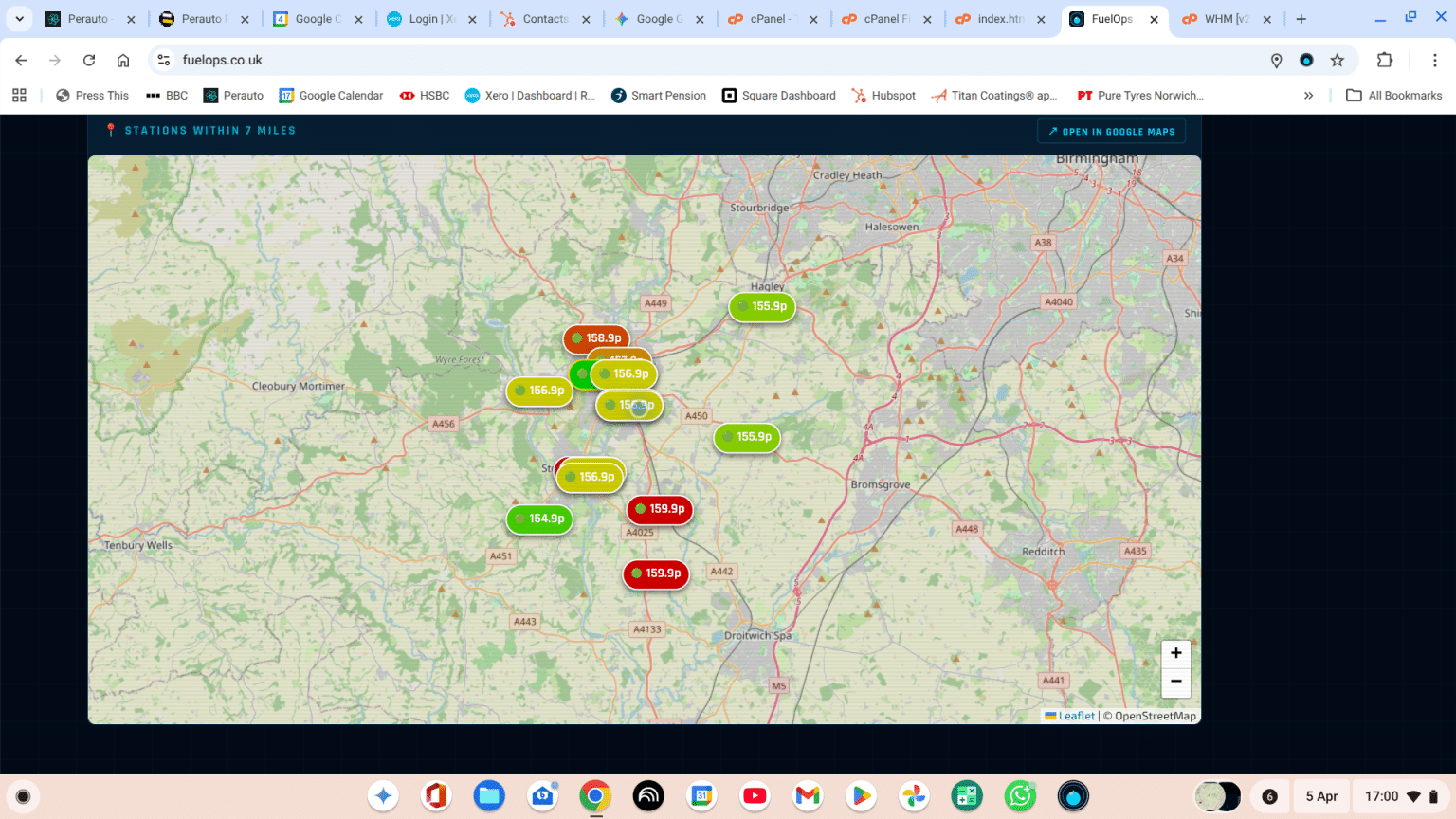
If there is one thing every car enthusiast can agree on, it’s that watching the numbers spin up at the petrol pump is the least enjoyable part of driving.
Between daily price fluctuations, hidden local differences, and the sheer unpredictability of the forecourts, figuring out the best time and place to refuel has felt more like a guessing game than a driving necessity. You either spend time (and money!) driving around looking for the best rate, or you settle for the closest pump and hope you aren’t getting ripped off.
At Perauto, I talk to drivers every single day. I know the frustration. So, instead of just accepting it, I decided to build a solution.
Meet FuelOps—my brand-new, completely free web app designed to take the guesswork out of refuelling.
What is FuelOps?
FuelOps isn’t just a list of petrol stations; it is a live command centre for your dashboard. I built it from the ground up to help the community spend less money on daily running costs and keep more cash in their pockets for the things that actually matter.
Whether you are planning a weekend road trip or just commuting to work, FuelOps acts as your personal refuelling strategist.
Here is what it brings to the driver’s seat:
- 📍 The Live Price Map: No more driving blind. The FuelOps dashboard instantly displays real-time petrol and diesel prices for every station within a 7-mile radius of your current location, or any location you choose on the map.
- 🧠 AI-Powered Refuelling Strategy: This is where the magic happens. Tell the app what you drive and your regular locations, and the FuelOps AI engine instantly crunches the data to calculate exactly where and when you should fill up to maximize your savings. It will even take you there!
- ⚡ Zero Clutter, Zero App Stores: I didn’t want to build something clunky that takes up lots of space on your phone. FuelOps is a Progressive Web App (PWA). That means it runs lightning-fast right in your browser.
How to Get It on Your Phone Right Now
I made installing FuelOps as frictionless as possible. You don’t need to search the App Store or Google Play, and there is no subscription fee. It is 100% free.
Here is how to set it up in 10 seconds:
- Grab your phone and head over to https://fuelops.co.uk.
- Look for the pulsing blue INSTALL FUELOPS APP button at the bottom of the screen.
- Tap it, follow the prompt, and the app will drop right onto your home screen, sitting right next to your maps and music.
The next time your fuel light pings, don’t just pull into the first station you see. Open FuelOps, check the live map, and let the AI find you the smartest stop.
Give it a spin, try out the AI routing, and let me know what you think!